GigHz Precision AI
Dictate as you always do. Get the impression.
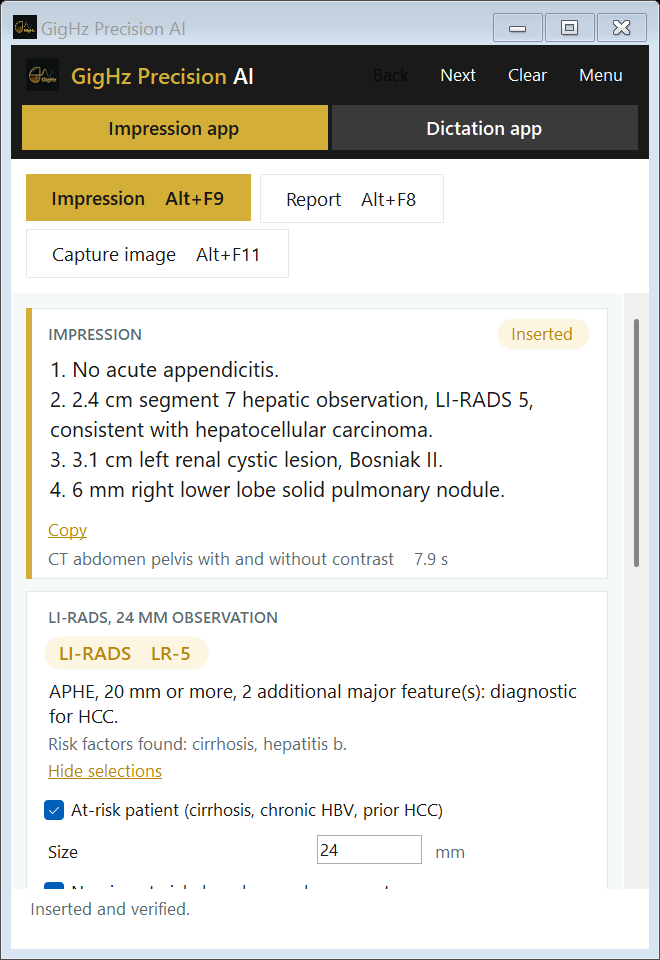
Precision AI is a small Windows app that sits beside your dictation system. Press one key and it reads the report, writes the impression under IMPRESSION, and shows the scoring and guideline support beside it.
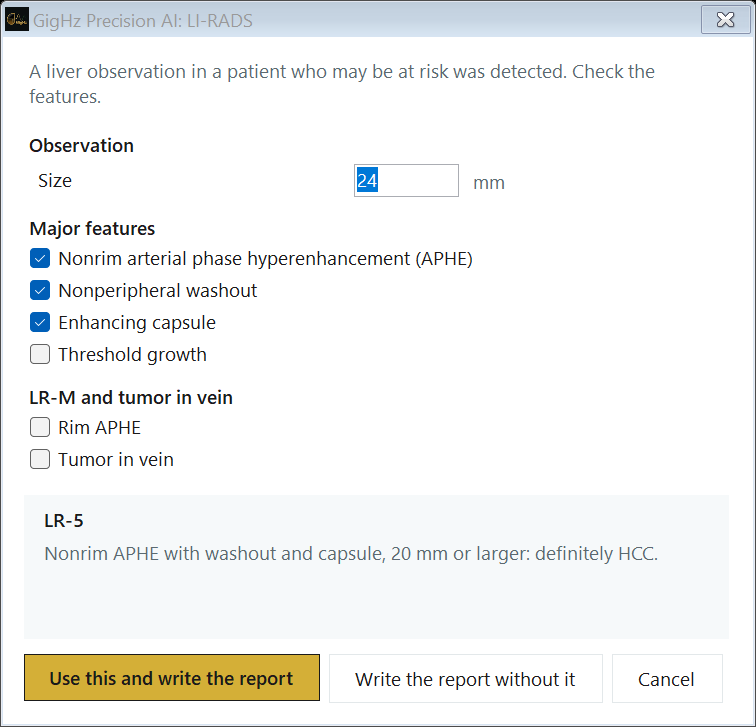
Scoring and guideline support from the findings in your report
How it works
-
1
Download one file
Nothing to install. Open it beside your reporting system and sign in with the email and password of your account.
-
2
Dictate the way you already do
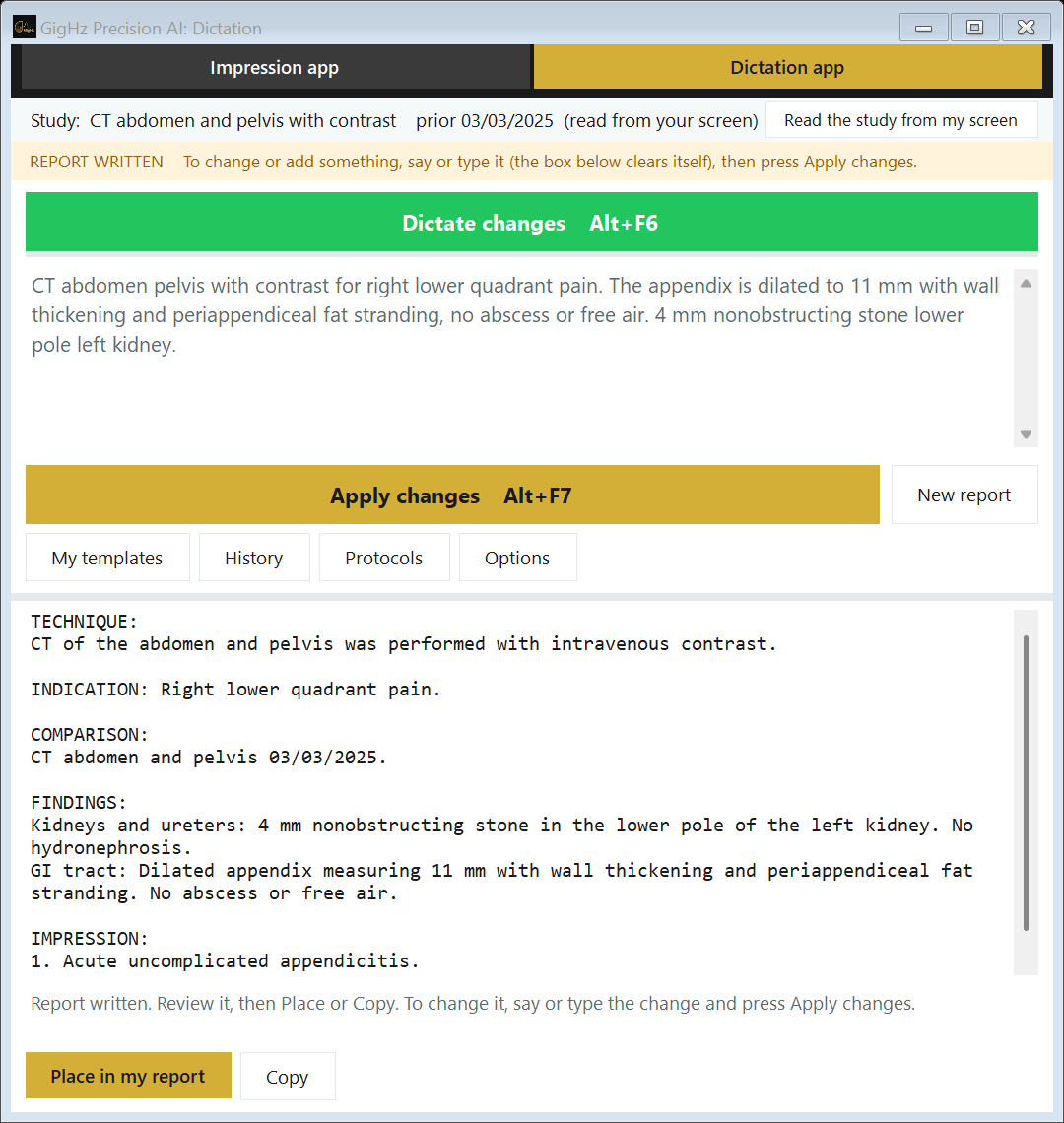
Two apps in one program, with a switch at the top. The Impression app sits beside your own dictation system and reads the report as it stands. The Dictation app takes your dictated findings and writes the whole report.
-
3
Press Impression
The impression is written from your findings and placed under IMPRESSION, replacing the template text. Review it, edit it, sign.
What it looks like
See it for yourself
Pick a sample study, press Impression, and watch it land in the report. No account, no email, no card.
Sample reports · no account needed
Try it on a sample report
CT chest, CT abdomen and pelvis, a multiphase liver CT, MRI knee, a chest radiograph, CT head and a lower-extremity angiogram. Edit the findings, press Impression, and see the impression, the scoring and the guideline support the app gives you.
- Three sample impressions per visit, a few seconds each
- The same impression engine the app uses
- Sample reports only — never patient information
Will it work for me?
- Windows 10 or 11, beside your dictation system.
- PowerScribe 360: tested; found automatically.
- Other Windows dictation programs: show the app your report box once.
- Reporting in a web browser: supported; when the app cannot place the impression safely, it gives you a Copy button instead.
- Mac, or a reporting system inside Citrix or Remote Desktop: not yet.
The Impression app
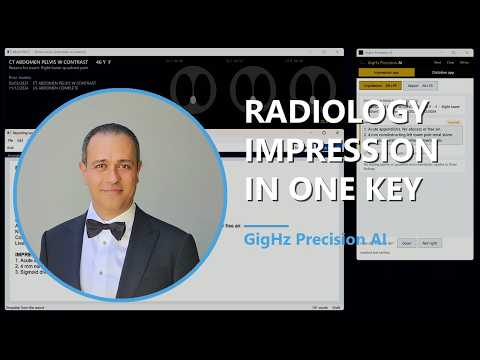
Keep dictating in your own reporting system; Alt+F9 writes the impression and fills the comparison from your PACS.
The Dictation app
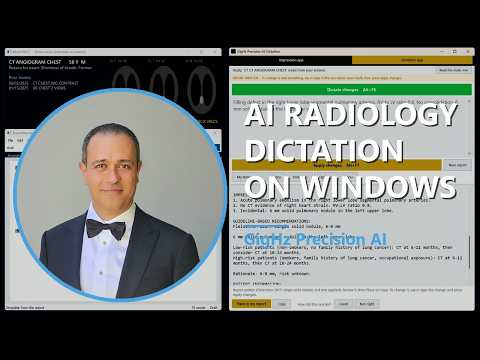
Say the findings in plain sentences; the whole report is written, placed in your reporting system and saved.
What it does
Works where you report
No new screen to learn and nothing to copy back and forth. The impression goes straight into the report you are dictating.
The impression writes itself
Actionable findings first, incidentals after, duplicates collapsed. Your measurements and your level of certainty are kept.
Scoring that reads the findings
LI-RADS, Bosniak and the rest come from the features you described. Change a selection and the impression is rewritten with it.
Guidelines, with the source
Follow-up recommendations name the guideline they come from, and findings that usually need a call to the referring clinician are flagged.
Or fill the whole template
Dictate freely and press Report. Each sentence goes to its line in your own template, the comparison is filled in, and the impression is written. Only changed sections are touched, each one verified.
Your rules for the impression
Differentials and follow-up recommendations are on by default. Switch either off in Options; scoring categories are still stated.
Your language
The impression is written in the language of the report, or in the one you choose. The app's buttons speak English, Spanish, Italian, French, German, Portuguese and Hebrew.
Start free. Then simple pricing.
90 days free
Institutional email (hospital, university, practice). No card. Both apps, Impression and Dictation, and every scoring system.
Start your 90-day trial or try the demo first, no account →30 days free
Any other email. No card. The same two apps; nothing is billed unless you choose a plan yourself.
Start your 30-day trial or try the demo first, no account →After the trial, three plans:
Attending
$99/month
- Both apps: the Impression app beside your reporting system, and the Dictation app, which writes the report from your dictated findings
- Your own templates, and changes to a report by voice
- Unlimited impressions
- Every scoring system and guideline recommendation built in
- Works beside PowerScribe 360 and other Windows reporting programs
- Cancel any time
Resident / Fellow half price
$49/month
- Everything in the Attending plan — nothing removed
- Keeps the trainee rate for a full year after you finish training
- Cancel any time
Impression app only
$29/month
- The Impression button: the impression written into your report
- Every scoring system and guideline recommendation built in
- Without the Dictation app
- Move up to the full plan, or cancel, any time on your account page
The trial includes both apps. When it ends, the plan that matches the app you have been using is ticked for you on your account page; you can pick the other one, and nothing is billed until you start a subscription. One trial per person. Monthly billing, cancel any time, no annual contract. Residents and fellows self-report a graduation year and keep the trainee rate for a full year after it. Hosted in a HIPAA-eligible AWS environment under a signed Business Associate Agreement. A BAA for your organization is available on request. Details in the pricing documentation.
How Precision AI compares
Who each tool is sold to, and what it takes to start. Fit and price only; we publish no accuracy or speed comparisons.
| Tool | Who it is sold to | Price and how to start |
|---|---|---|
| PowerScribe One | Health systems and groups | Price not published; contact Microsoft |
| Rad AI | Health systems and radiology practices | Price not published; request a demo |
| Dragon Medical One | Clinicians across specialties | Price not published; licensed through Microsoft |
| Solventum Fluency | Organizations standardizing documentation | Price not published; talk to Solventum |
| Sirona Unify | Groups adopting a new platform | Per-exam fee (amount not published); request a demo |
| Precision AI | Individual radiologists, residents, fellows, small groups | From $29/month for the impression alone; $99/month for the whole app ($49 residents/fellows); free trial, no card, download the same day |
Details from each vendor's public pages, checked November 9, 2026: PowerScribe One · Rad AI · Dragon Medical One · Solventum Fluency · Sirona Unify. Full comparisons, with feature tables and who should choose which: Precision AI alternatives on gighz.com.
Questions before you pick a plan
How is Precision AI different from PowerScribe One?
PowerScribe One is sold to health systems and radiology groups through Microsoft, and its price is not published. Precision AI is a radiology reporting assistant for Windows, built by a practicing interventional radiologist. It works beside the reporting system you already use: it puts the findings you dictate onto the lines of your template and writes the impression into the report. It is sold to individual radiologists, residents, fellows and small groups at a published price: $99 a month, $49 for residents and fellows, or $29 a month for the impression and scoring alone, with a free trial and no card. We publish no accuracy or speed comparison between the two. The full feature comparison is on gighz.com under Precision AI alternatives.
Do I need to install anything?
No installer. Precision AI is one Windows program file: no administrator rights, no IT project and no demo call. You sign up, download it from your account page, sign in with your email and password and use it the same day. The first time you open a new file, Windows may say it protected your PC: click More info, then Run anyway. If your hospital blocks programs it does not know, ask IT to allow it.
Is there a free trial?
Yes. 90 days free with an institutional email, 30 days with any other address. No card is taken, and nothing is charged automatically when the trial ends; you choose a plan yourself. There is also a no-account demo with three sample impressions.
Does it need voice training?
No. You can keep dictating into the system you already use, and Precision AI reads the text of the report. You can also dictate into the Dictation app; that needs no voice training either.
Do I need a credit card to try it?
No. An institutional email gets 90 days free, any other address gets 30 days free, and neither asks for a card. You can also try three sample impressions with no account at all in the demo.
What happens when the trial ends?
You are emailed seven days before. Nothing is charged automatically: you choose a plan on your account page and confirm once, and only then does a monthly subscription start. The app keeps working for seven more days after the trial, then the account locks.
What happens if I stop paying?
The account locks and the app stops writing impressions; nothing is deleted. Choosing a plan reactivates it.
Can I cancel any time?
Yes, from your account page through the Stripe customer portal. Cancellation takes effect at the end of the current billing period; there is no annual contract.
I am a fellow finishing this year. Do I lose the trainee rate right away?
No. The trainee rate continues for a full year after you finish training, then moves to the standard rate with advance notice. The change starts on your next billing cycle, never mid-cycle.
How do I pay?
By card, through Stripe. Card details are entered on Stripe's own checkout page and never touch our servers.
Built for clinical use
Member of NVIDIA Inception
GigHz, the company behind Precision AI, is a member of NVIDIA Inception, NVIDIA's program for AI startups.
Inside a HIPAA boundary
Hosted in a HIPAA-eligible AWS environment under a signed Business Associate Agreement. A BAA for your organization is available on request.
Encrypted end to end
TLS in transit, encrypted at rest, no third-party analytics or advertising code anywhere on the application.
No identifiers needed
The app never asks for a patient name or MRN, and it does not need one to write an impression. Report text sent for an impression is not stored. Reports you write in the Dictation app are kept in your own history, which you can delete or switch off.
A draft, not a diagnosis
Every impression is clinical decision support for review and sign-off by the reading radiologist.